
To check a job’s translation status,
- Log into AEM as an administrator.
- Go to the side rail and select Projects. Click to open the project you wish to manage.
- At the bottom of the Translation Job card, click the More Options icon

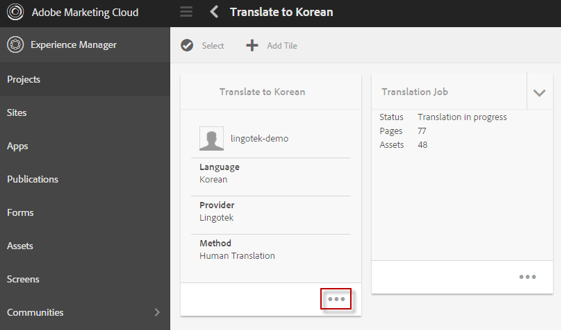
- This displays a full snap shot of the translation job.
- View the status for each page in a status column.
Next: Translate in Lingotek






To check a job’s translation status,
- Log into AEM as an administrator.
- Go to the side rail and select Projects. Click to open the project you wish to manage.
- At the bottom of the Translation Job card, click the More Options icon
- This displays a full snap shot of the translation job.
- View the status for each page in a status column.
Next:
Comments
0 comments
Please sign in to leave a comment.